Link: https://www.lagaannfl.com/
- Clone this project.
git clone https://github.com/GatiAher/lagaan-football-pool-app.git
cd lagaan-football-pool-app- Install Essential Tools and Packages
# install node version manager (nvm)
curl -o- https://raw.githubusercontent.com/nvm-sh/nvm/v0.34.0/install.sh | bash
. ~/.nvm/nvm.sh

# use nvm to install node
nvm install node

# install yarn
curl -o- -L https://yarnpkg.com/install.sh | bash

# download dependencies, make sure you are in root directory
yarn && cd backend/ && yarn && cd .. && cd frontend/ && yarn && cd .. && cd admin/ && yarn && cd ..- Backend uses SQLite database, so you need to provide the database storage file
mkdir -p backend/db
touch backend/db/database.sqlite- Set-Up Environment Files
Frontend uses backend api and Auth0 so you need to provide the configuration variables to access these. Add the following key-value pairs to the env files. Get the values REACT_APP_AUTH0_DOMAIN and REACT_APP_AUTH0_CLIENT_ID from Auth0 Dashboard. You need to have an Auth0 account.
In frontend/.env.development
REACT_APP_API=http://localhost:3001
REACT_APP_AUTH0_DOMAIN=<xxx.us.auth0.com>
REACT_APP_AUTH0_CLIENT_ID=<yyy>
In frontend/.env.production
REACT_APP_API=/api
REACT_APP_AUTH0_DOMAIN=<xxx.us.auth0.com>
REACT_APP_AUTH0_CLIENT_ID=yyy>
GENERATE_SOURCEMAP=false
Admin also needs to access backend’s api. Add the following key-value pairs.
In admin/.env.development
REACT_APP_API=http://localhost:3001
REACT_APP_ADMIN_USER=<aaa>
REACT_APP_ADMIN_PASS=<bbb>
In admin/.env.production
REACT_APP_API=/api
REACT_APP_ADMIN_USER=<aaa>
REACT_APP_ADMIN_PASS=<bbb>
GENERATE_SOURCEMAP=false
Privacy Note: While frontend uses Auth0, admin site does not because at the time of writing this, Auth0 and React-Admin do not work well together. At the moment, the admin site is using hard-coded passwords and has no access to confidential user data. Auth0 manages user accounts, passwords, password resets, and backup emails.
- In root directory, run the start script to start application in
NODE_ENV=developmentmode.
yarn startOr you could run each service independently
yarn start-server
yarn start-front
yarn start-admin
- Access from browser
- Backend: http://localhost:3001 (see 404 page, make requests to this url)
- Frontend: http://localhost:3000 (see Home page)
- Admin: http://localhost:3002 (see Admin Dashboard)
- Ssh into your production server. Set-up production environment. Make sure you have yarn, node, pm2 and nginx installed.
ssh -i /path/my-key-pair.pem my-instance-user-name@my-instance-public-dns-name

# make a working directory (this is the path assumed by lagaan_nginx.conf)
mkdir -p /data/lagaan-football-pool-app

# install PM2 (Daemon Process Manager that keeps application online. Use it to run the backend)
yarn global add pm2

# install CentOS 7 EPEL (to talk with Nginx)
sudo yum install epel-release

# install Nginx to manage serving static files
sudo yum install nginx- Make sure your
frontend/.env.productionandadmin/.env.productionfiles exist and have the right values. Create production build of frontend and admin static files. This should createfrontend/buildandadmin/builddirectories.
cd frontend && yarn && yarn build && cd ..
cd admin && yarn && yarn build && cd ..- Set up NGINX + SSL certificate
On Amazon Web Service:
I used AWS EC2 + elastic load balancer (ELB), Route53, SSL Certificate.
AWS PROCESS: In Route53 configure A-Record as type alias with target as ELB. Configure ELB as fail-over to the EC2. (fail-over mode requires health-check for fail-over configuration).
RATIONAL: Right now, only using one instance, hence the fail-over configuration. Using ELB in order to use AWS’s SSL. SSL is needed for OAuth used by frontend.
On Digital Ocean:
Follow this tutorial: https://www.digitalocean.com/community/tutorials/how-to-secure-nginx-with-let-s-encrypt-on-ubuntu-20-04
Directories and files that must exist:
backendecosystem.config.jsadmin/buildfrontend/buildlagaan_nginx.conf
- Set up backend and start api using PM2.
pm2 uses the ecosystem.config.js file.
cd backend && yarn && cd ..
pm2 start- Use nginx to serve the frontend and admin static build files and reverse-proxy the backend api
cp lagaan_nginx.conf /etc/nginx/nginx.conf
sudo service nginx restart
NOTE: provided lagaan_nginx.conf assumes that the path to lagaan-football-pool-app is /data/lagaan-football-pool-app. Change it if necessary.
- Access files from browser
- Frontend: https://www.mydomain.com
- Admin: https://www.mydomain.com/admin
- Backend: https://www.mydomain.com/api
NOTE: since frontend uses Auth0, its Javascript will only render if it is on a secure connection (https).
- To Stop
pm2 delete all
sudo service nginx stop- click on RESET buttons to load default values and erase all season data from table
- good for loading teams with 0-0-0 as W-L-T
- keeps all users but erases picks, score, and rank
- Go into resource tab (User, Team, or Game)
- this step may require one item to be in the database. Create one item and delete it afterwards.
- if you do not delete the items in table, importing csv will update items
- you have the option to export csv and save backups of data in the database
-
User goes to frontend and signs up. This adds the user to Auth0. A user registered with Auth0 but not registered with the Lagaan Admin will be able to access the private pages but not see any user data.
-
User clicks on top right menu (with username) and selects “Copy Id”. User can then send this to Lagaan Admin, who can create a new user with the given id using the Admin Dashboard.
-
User registered with both Auth0 and Lagaan system can access private pages and see user data.
- Login, Logout, Sign-Up, User Authentication
- Dynamic Design — looks good on all screens
- Keeps track of current week (changes on Sunday @ 1pm)
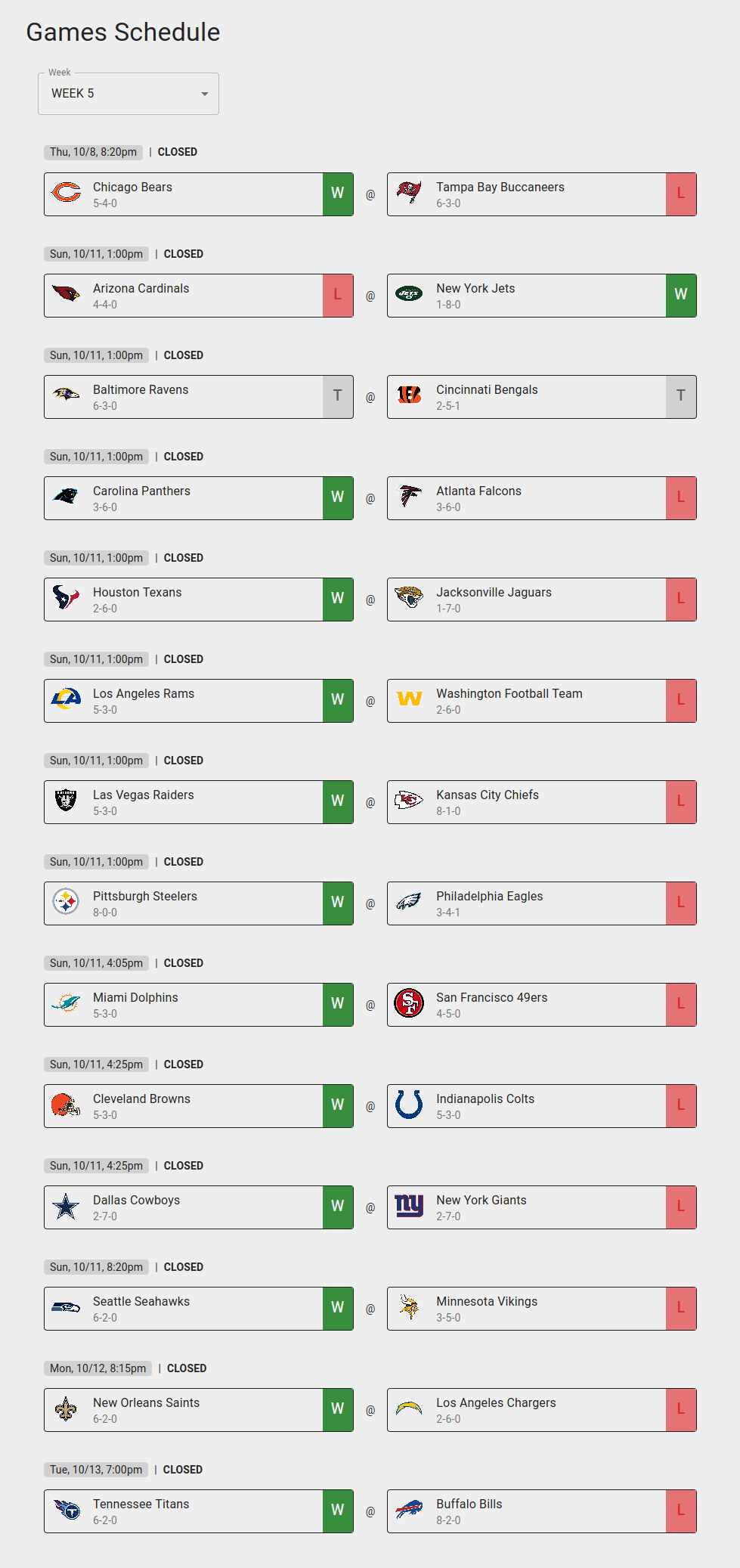
Games Schedule Page
- See game schedule by week
- See outcomes of matches

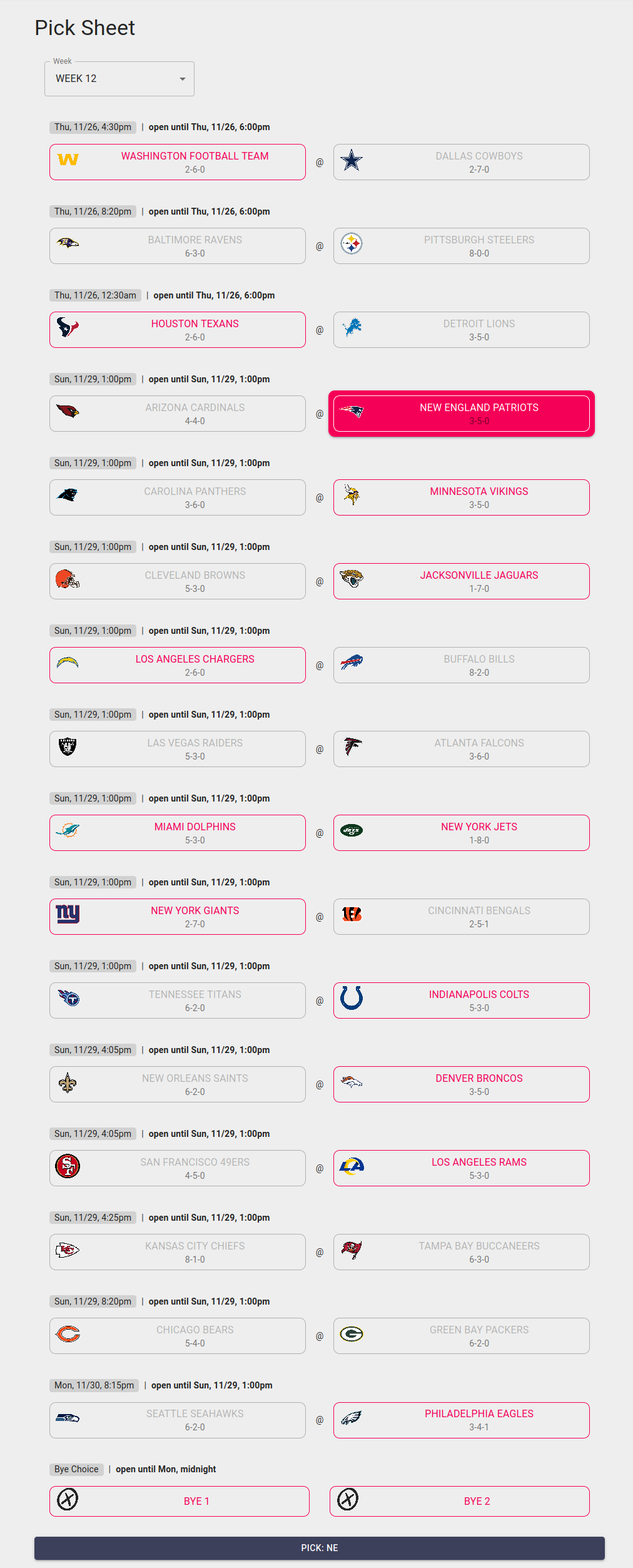
Pick Sheet Page (private)
- In regular season: pick two teams each week
- In playoff season: pick unlimited number of teams (cannot be from same game)
- Automatically disables teams picked in previous weeks
- BYE Week selection option only available on certain weeks (week in range 4-12)
- Pick windows close on Thu 6pm and Sun 1pm

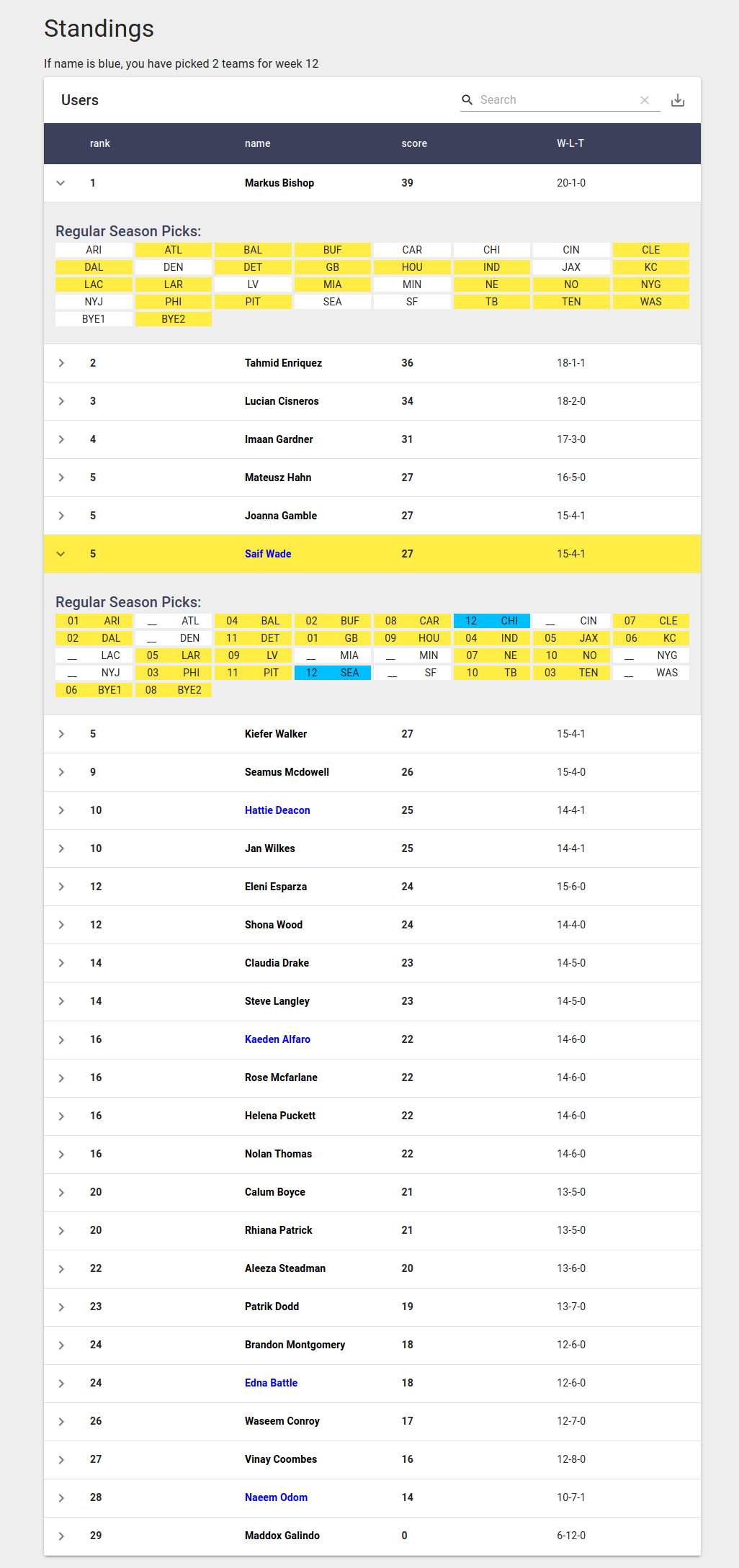
Standings Page (private)
-
See a sortable, filterable, exportable table of users
-
Table initially sorted by score
-
Current user highlighted
-
Users who have picked for the current week have names in blue text
-
For each user, see:
- ROW: Score, Name, Picked Wins-Losses-Ties
- EXPANDABLE DETAIL PANEL: user’s selected teams, up to but not including current week

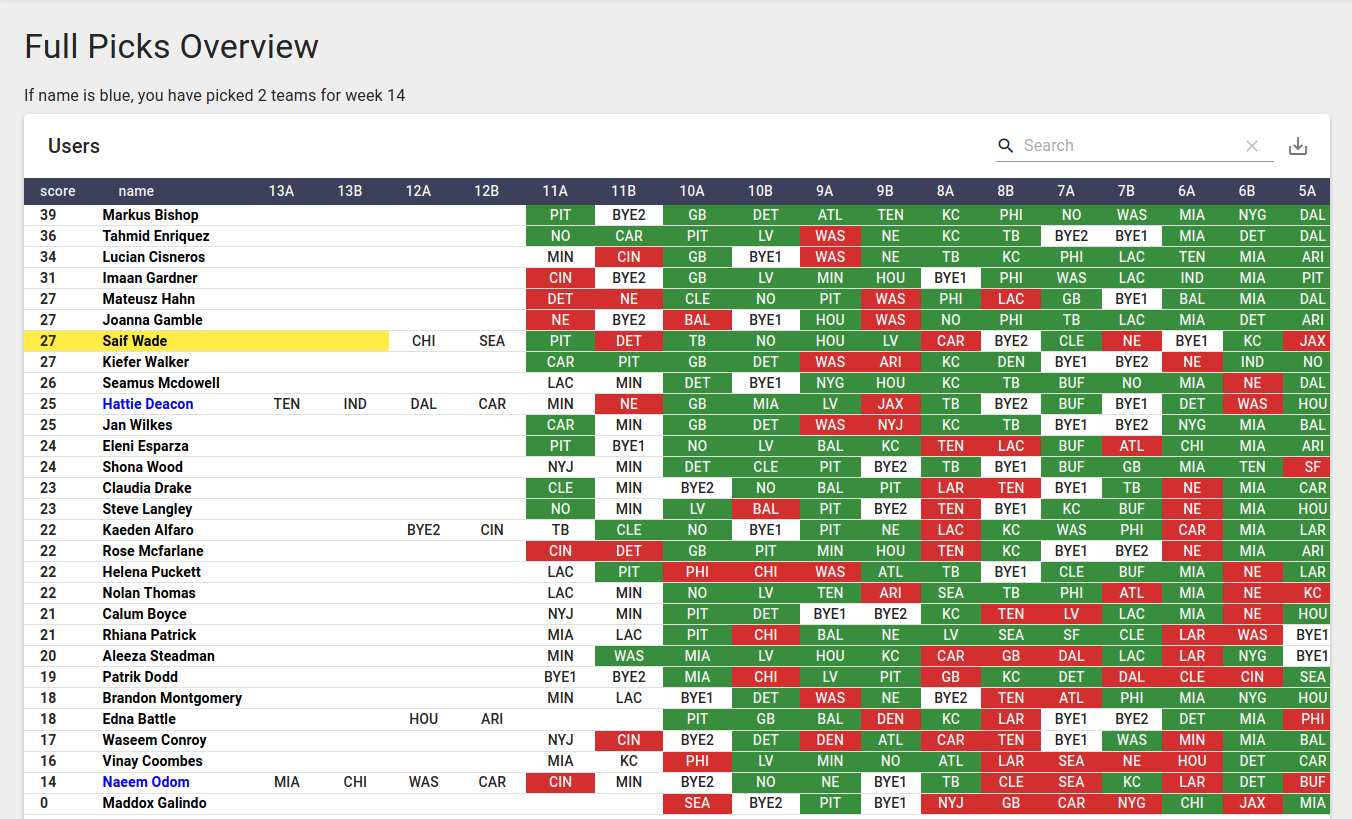
Regular and Playoff Season Picks Overview (private)
-
See all users’s picks up to, but not including, current week
-
At end of respective season, first place name is colored in gold text, second place in silver, and third place in silver
-
Auth0 for authentication
- users can register (must be approved by admin and added to database to be fully registered), change password

Routes to edit game, team, and user data
In production site, api is not able to be accessed from outside the ec2’s private net
| Method | API calls |
|---|---|
getList |
GET http://my.api.url/user/posts?sort=["id","ASC"]&range=[0, 24]&filter={"id":"123"} |
getOne |
GET http://my.api.url/user/posts/123 |
create |
POST http://my.api.url/user/posts |
update |
PUT http://my.api.url/user/posts/123 |
delete |
DELETE http://my.api.url/user/posts/123 |
clear table |
DELETE http://my.api.url/user/clear |
reset table |
DELETE http://my.api.url/user/reset |
Routes to recalculate scores & ranks for team, and user data
| Method | API calls |
|---|---|
score users |
GET http://my.api.url/score/user |
score teams |
GET http://my.api.url/score/team |
- Built using React-Admin React-Admin
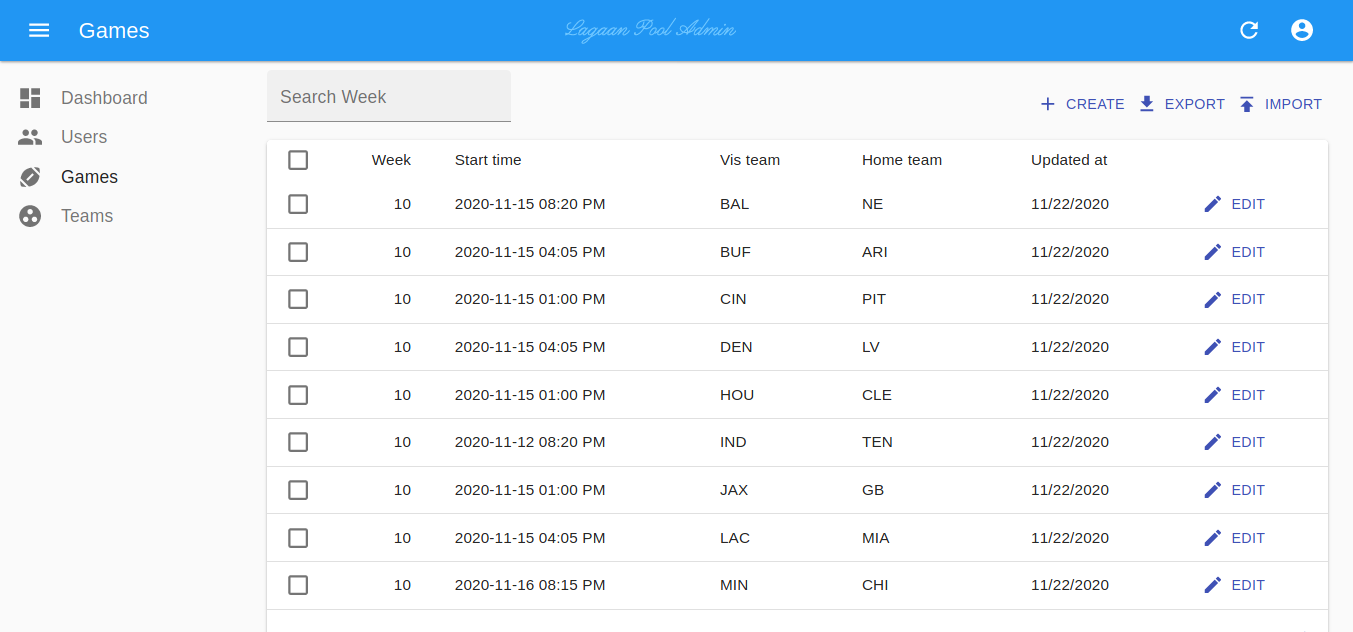
- User Interface to perform create, read, update, and delete operations on Game, Team, and User data
- Ability to import/export table data from/to .csv files (experimental feature)
- Import and export csv files’, dates are in human readable format
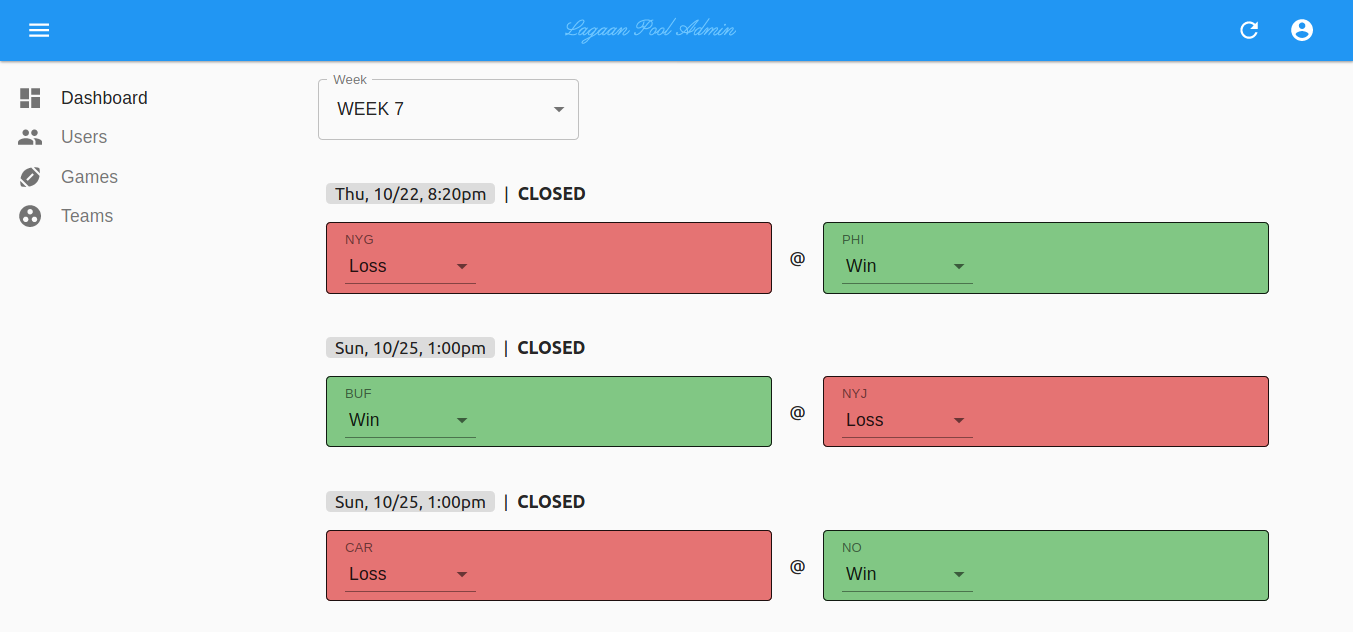
- Button to rescore teams and users
- Button to clear all items from tables
- Button to remove season data from tables


Leave a Reply